🧩 Mime Plugins
Mime plugin settings can be reached from the Administration interface, by clicking on
Mime Plugins.
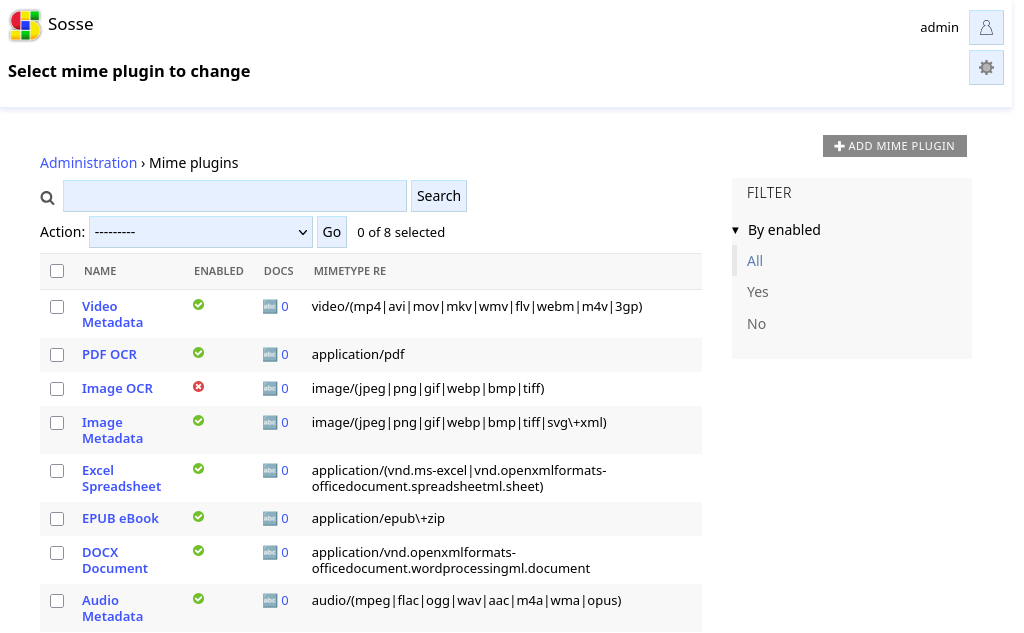
Mime plugins are automatically executed during crawling when a document’s MIME type matches the plugin’s regex pattern. Built-in plugins are provided for common document types, but custom plugins can also be created.
Mime plugin detailed view
The mime plugin detail page contains all configuration fields for the plugin:
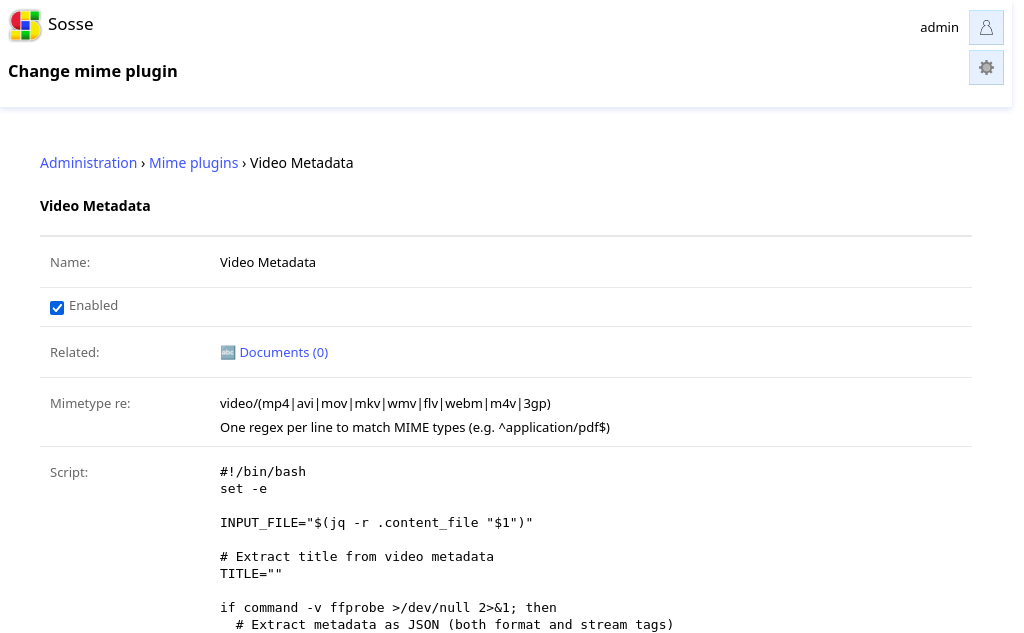
Name
A unique descriptive name for the mime plugin, used for identification within the admin interface.
Description
Optional text field to describe what the plugin does. This is particularly useful for documenting custom plugins.
License
License information for the script, such as “GPL-3.0” or “MIT”. This field is optional and mainly used for built-in plugins.
Enabled
Controls whether this plugin is active during crawling. Disabled plugins will be ignored even if their MIME type pattern matches.
MIME Type Regex
One or more regular expressions (one per line) that define which MIME types this plugin should process. Examples:
^application/pdf$- Matches PDF documents only^image/.*- Matches all image types^application/(msword|vnd\.openxmlformats-officedocument\.wordprocessingml\.document)$- Matches Word
Script
The shell script that processes the document. The script receives a JSON file path
as the first argument containing document metadata following the REST API format.
This JSON includes a special content_file field pointing to the actual document
file to process.
The script should output JSON on stdout with fields to update the document (such as
title, content, lang_iso_639_1). If the output includes a preview
field, it should specify the filename of a generated thumbnail image in the
working directory.
Example script:
#!/bin/bash
set -e

# Read the input JSON file
INPUT_JSON="$1"
DOCUMENT_FILE="$(jq -r .content_file "$INPUT_JSON")"

# Extract title from document metadata or use URL as fallback
TITLE="$(jq -r .url "$INPUT_JSON")"

# Process the document file and extract content
CONTENT="$(cat "$DOCUMENT_FILE")"

# Generate a simple preview image (example)
echo "Preview" | convert -pointsize 20 label:@- preview.png

# Output JSON with extracted data
jq -n --arg title "$TITLE" --arg content "$CONTENT" '{
    title: $title,
    content: $content,
    preview: "preview.png"
}'
Note
The script is executed from a temporary directory that is automatically cleaned up after execution. If your script generates a preview image, store it in the current working directory (the temporary directory) so it gets cleaned up properly. The preview file should be a full-size image - Sosse will automatically resize it to create the appropriate thumbnail.
Timeout
Maximum execution time for the script in seconds (default: 30). If the script takes longer than this timeout, it will be terminated to prevent blocking the crawler.