🕸 Domains
Domain level parameters can be reached from the Administration interface, by clicking
on Domain settings.
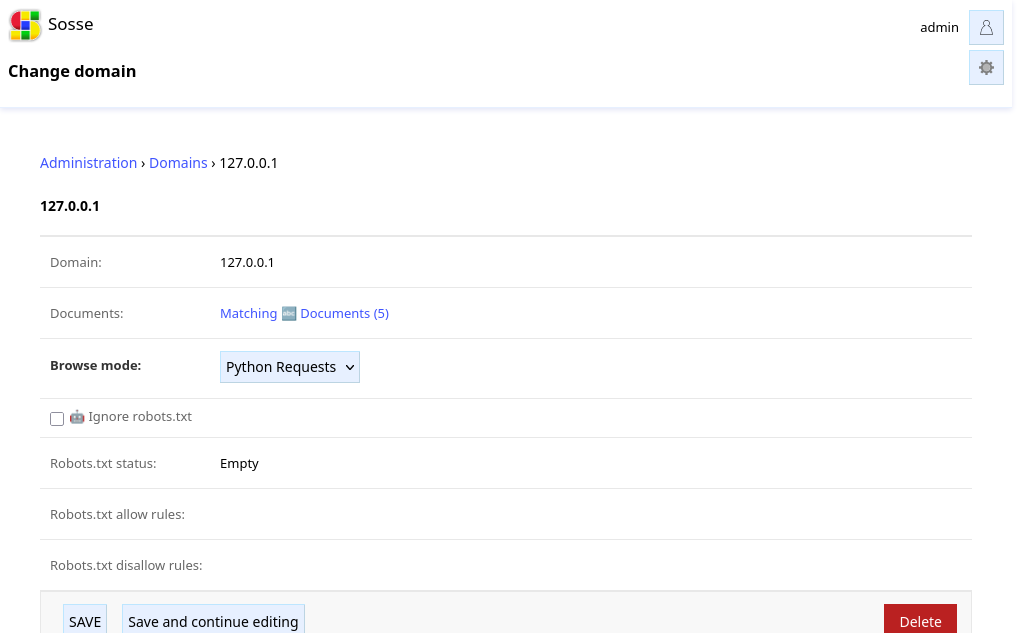
Domain settings are automatically created during crawling, but can also be updated manually or created manually.
Browse mode
When the collection’s Default browse mode is set
to Detect, the Browse mode option of
the domain defines which browsing method to use. When the domain’s browse mode is also set to Detect,
the system automatically detects the optimal browsing mode the next
time the domain is accessed, and updates this option to either Chromium,
Firefox or Python Requests.
Ignore robots.txt
By default the crawler will honor the robots.txt 🤖 of the domain and follow
its rules depending on the
User Agent. When enabled, this option will
ignore any robots.txt rule and crawl
pages of the domain unconditionally.
Robots.txt status
One of:
Unknown: the file has not been processed yetEmpty: there is norobots.txtor it’s emptyLoaded: the file has been successfully loaded
Robots.txt allow/disallow rules
This contains the rules relevant to the crawlers User Agent.