Crawling an Authenticated Website
Sosse enables crawling web pages that require authentication. While authentication can be managed via cookies or JavaScript, cookies expire, and JavaScript can be complex to configure. Instead, Sosse allows authentication directly within the Crawl Policy by submitting the login form. As an example, we will demonstrate how to authenticate to Calibre-Web, an open source book library, see https://github.com/janeczku/calibre-web.
Creating a Crawl Policy for an Authenticated Website
To begin, identify the authentication details on the login page:
Open Calibre-Web in a browser and navigate to the login page.
Use developer tools to inspect the login form and find its CSS selector.
Identify the
nameattributes of the username and password input fields.
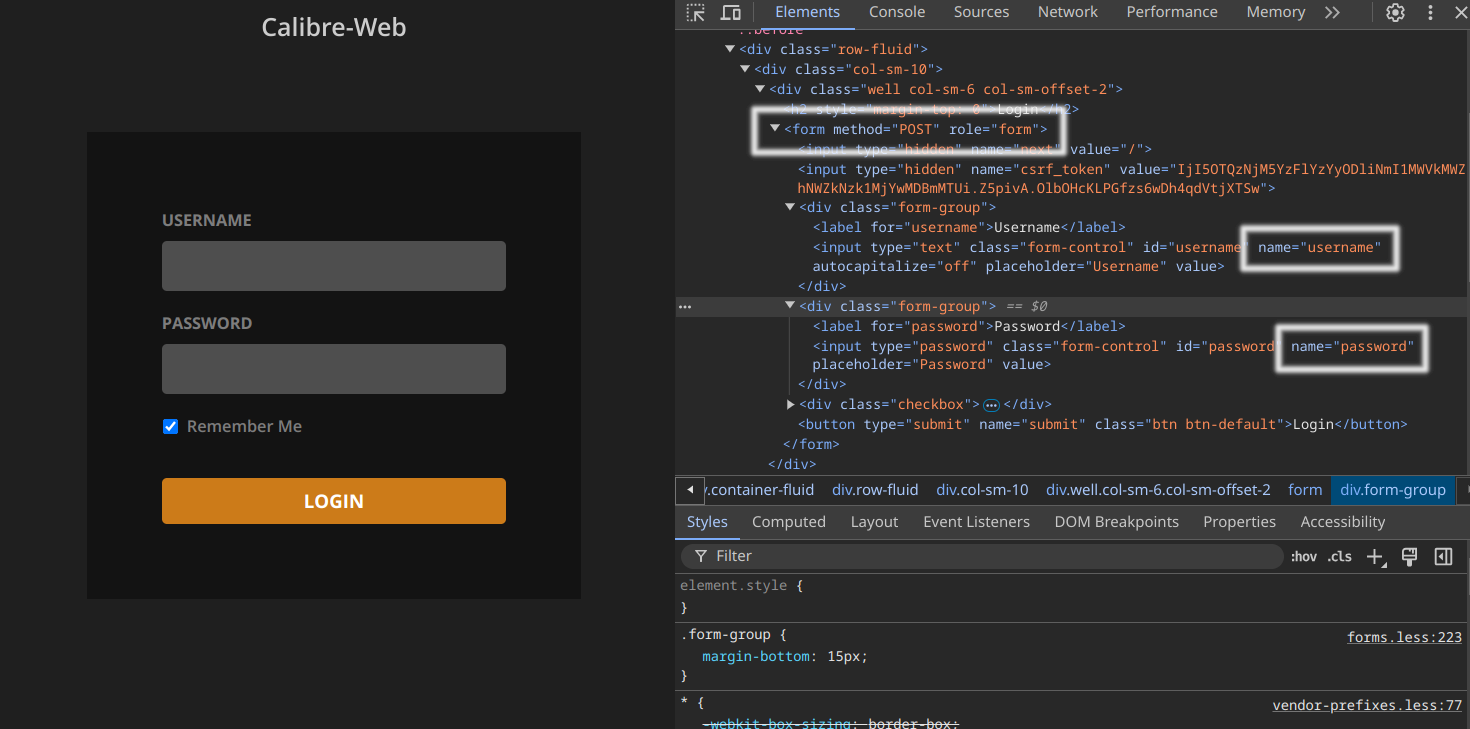
With this information, configure the Crawl Policy:
In the
⚡ Crawltab, define the URL patterns:^http://<url of the Calibre-Web instance>/$for the homepage.^http://<url of the Calibre-Web instance>/page/[0-9]+$for pagination.^http://<url of the Calibre-Web instance>/book/[0-9]+$for books.
In the
🔒 Authenticationtab:Login URL regex:http://<url of the Calibre-Web instance>/login— authentication is attempted when redirected here.Form selector:form— as Calibre-Web has a single<form>element.Authentication fields:
username: e.g.,adminpassword: e.g.,admin123
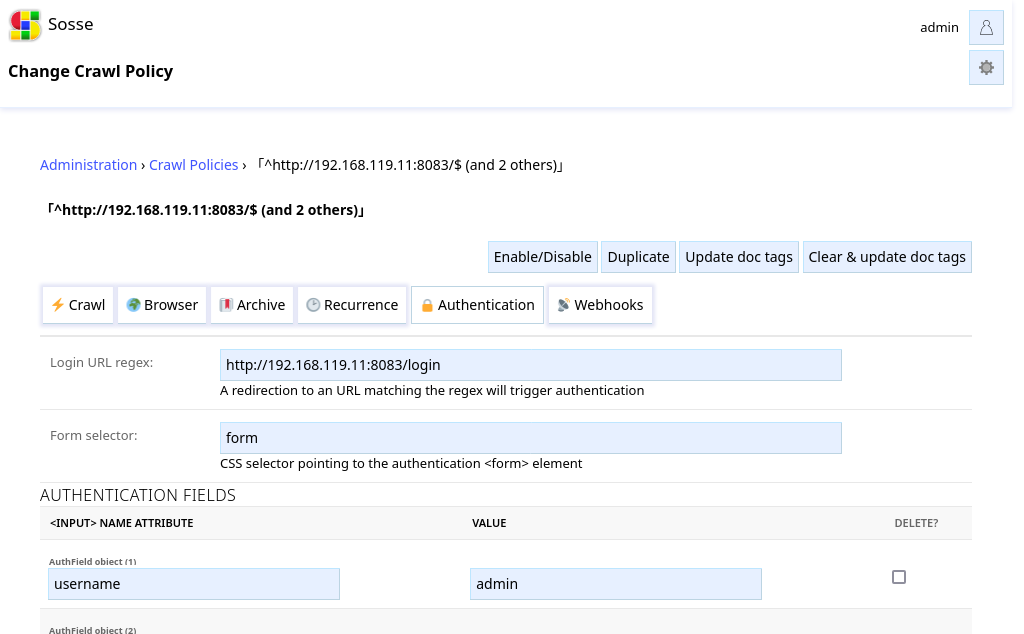
Once configured, Sosse will authenticate whenever it encounters the login page.
Starting the Crawl
After configuring authentication in the Crawl Policy, navigate to the Crawl a new URL page and enter the Calibre-Web instance URL.
Review the parameters and click Confirm. Sosse will log in using the provided credentials and begin crawling pages
accessible to the authenticated user.
Searching the Library
Once the crawl is complete, you can search for books, authors, or any text available in the Calibre-Web instance.
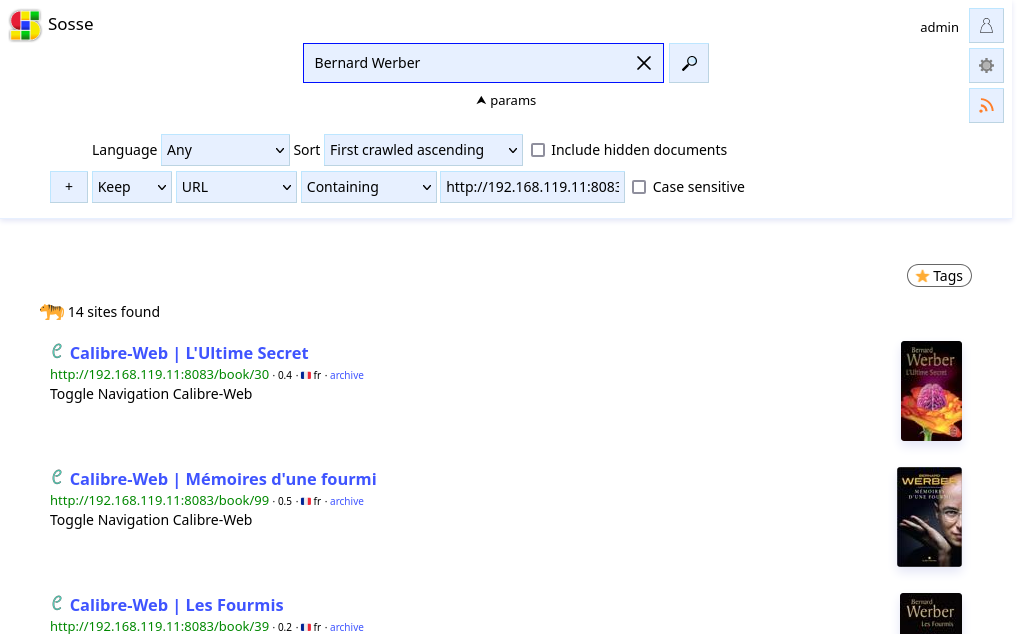
For advanced search options, refer to the search parameters documentation.