Convert an RSS feed into Summaries Using a Webhook and Local AI
This guide shows how to configure Sosse to automatically summarize articles from RSS feeds using a local AI model. It uses 📡 Webhooks and Ollama, a Docker-based framework for running open-source LLMs locally. It’ll process articles from the Segment blogs, but you can adapt it to any RSS feed.
Note
This guide showcases the use of Ollama with the lightweight llama3.2 model for demonstration purposes. However,
you can explore other models like llama3, mistral, or gemma. Feel free to substitute any supported model
available in the Ollama registry.
Set Up Ollama Locally with Docker
First, install and start the Ollama server locally using Docker.
Run Ollama in Docker:
docker run -d -v ollama:/root/.ollama -p 11434:11434 --name ollama ollama/ollama
Pull a model:
curl http://localhost:11434/api/pull -d '{ "name": "llama3.2" }'
You now have a local LLM endpoint running at http://localhost:11434 with the selected model.
Warning
This command runs a CPU-based model. For GPU support, check the Ollama Docker image documentation for GPU setup.
Note
You can test the functionality of the LLM by running a shell session with the following command:
docker exec -it ollama ollama run llama3.2
Crawl Policies for RSS Feeds and Posts
Create a crawl policy to handle RSS feeds (refer to ⚡ Crawl Policies for more details), navigate to ⚡ Crawl
Policies in the admin panel, then create a new policy:
URL regex:^https://segment\.com/blog/rss\.xml$
Set
Recursion depthto1to limit recursion to articles only.Under
🕑 Recurrence, specify the desired refresh interval, such as1 hour.
Create a separate crawl policy to manage RSS posts:
URL regex:^https://segment\.com/blog/
Set
RecursiontoDepending on depth, to have only articles referenced by the RSS feeds crawled.Under
🕑 Recurrence, setCrawl frequencytoOnceto avoid re-crawling the same articles.
Define the Webhook to Generate Summaries
Navigate to 📡 Webhooks in the admin panel (refer to 📡 Webhooks for more details), and create a new webhook
to process the crawled articles:
Name:
Summarize ArticleURL:
http://localhost:11434/api/generateCheck Overwrite document’s fields with webhook response : This ensures that the response generated by the webhook will replace the content in the document.
Path in JSON Response:
responseCheck Deserialize the response before updating the document : This ensures that Sosse can parse the JSON content encapsulated within a text field in the response from Ollama.
JSON body template:
{ "model": "llama3.2", "prompt": "Summarize the following text into 2-3 concise sentences. Output only the result as a JSON object: {\"content\": \"...\"} Text to summarize:\n${content}", "stream": false }Method:
POSTTest the webhook by clicking the Trigger button at the bottom of the page, you should get a response like:
{"model":"llama3.2","created_at":"2025-06-01T15:27:08.617590502Z","response":"{\"content\":\"Example\"}", ...
Note
In case the webhook generates a Read timed out error, you can increase the timeout by modifying the
requests_timeout configuration option.
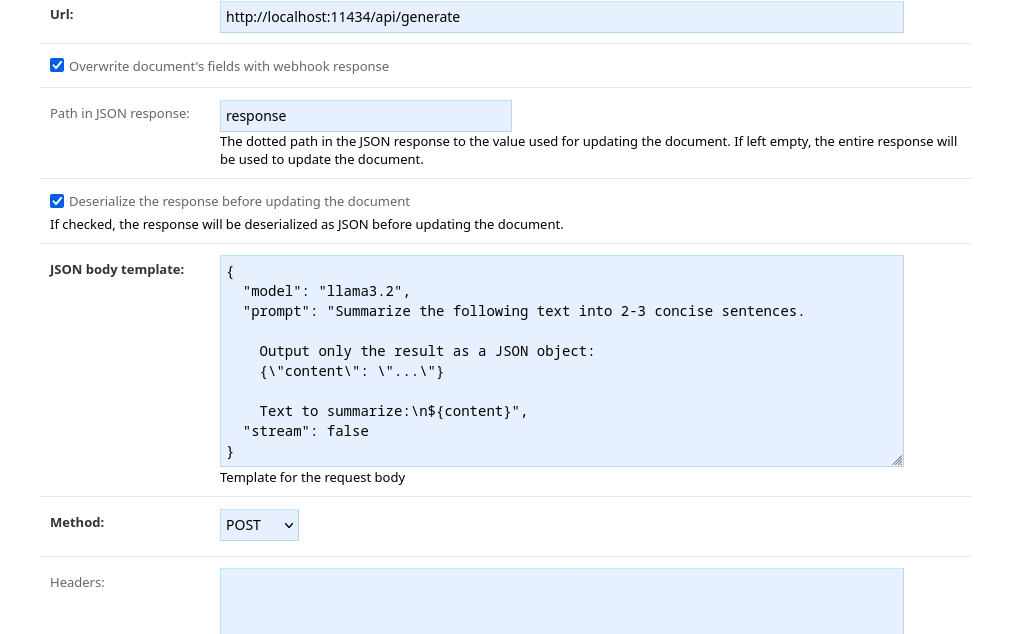
We instruct Ollama to summarize the article’s content, provided in the ${content} variable, and return the result as
a JSON object. The format aligns with the Rest API response, allowing us to modify any fields in the
document.
You can now go back to the ⚡ Crawl Policies page and select the newly created webhook under the
📡 Webhooks tab.
Summarizing RSS Articles
Navigate to the Crawl a new URL page and paste the feed URL, such as:
https://segment.com/blog/rss.xml
Click Confirm to queue the crawl job.
Accessing Summaries
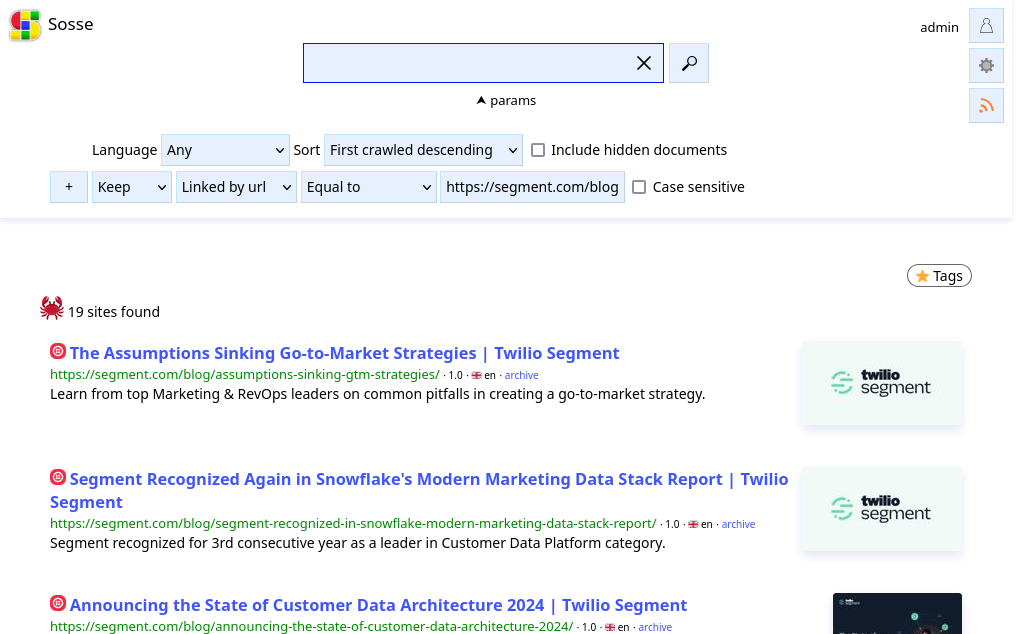
From the homepage, you can perform a search to retrieve crawled articles along with their summaries:
Expand the
paramspanel:Sort by
First crawled descendingto display the latest articles first.Add a filter:
KeepLinked by urlEqualtohttps://segment.com/blog/rss.xml.
Submit the search to view the articles and their summaries.
You can subscribe to a feed of these articles and summaries using Atom feeds <ui_atom_feeds>.