Searches
Making searches
SOSSE uses PostgreSQL’s Full Text Search to perform keyword based searches. This makes the search bar behave like most search engine websites 🦡:
Typing multiple space-separated keywords returns pages containing all of them.
Separating search terms with
ORreturns pages containing one of them.Keywords enclosed in double-quotes match consecutive words.
Using
-in front of a search term removes matching pages from the result list.Parenthesis can be used to make complex queries and prioritize operators.
More search options are available when clicking on Params:

Language: select document which detected language matchesSort: sort order of matching documentsInclude hidden documents: show hidden documents in results, requires the “Can change documents” permission
Below, more field can be added to perform exact text match as opposed to the search bar that has natural-language
processing features (word stemming, diactric removal, …). Any number of extra filter can be added using the
 button. Each field in the filter is:
Function of the filter
Keep: pages matching the filter are displayed in the resultsExclude: pages matching the filter are removed from the results
Field
This defines against which field the keyword is matched:
Document: this matches against theContent, theTitleor theURLContent: the text content of the pageTitle: the title of the pageURL: the URL of the pageMimetype: the mimetype of the documentLinks to url: returns documents containing links which target URLs matching the keywordLinks to text: returns documents containing links which text (the text of the link, not the text of the target document) matching the keywordLinked by url: returns documents which are the target of the links of URLs matching the keywordLinked by text: returns documents which are pointed by links whose text match the keyword
Operator
This defines how the keyword is matched against the field:
Containing: this matches when the keyword is contained inside the field.Equal to: this matches when the keyword is exactly to entire field.Matching Regex: matching is done using Posix regular expressions (see PostgreSQL documention for details)
Results

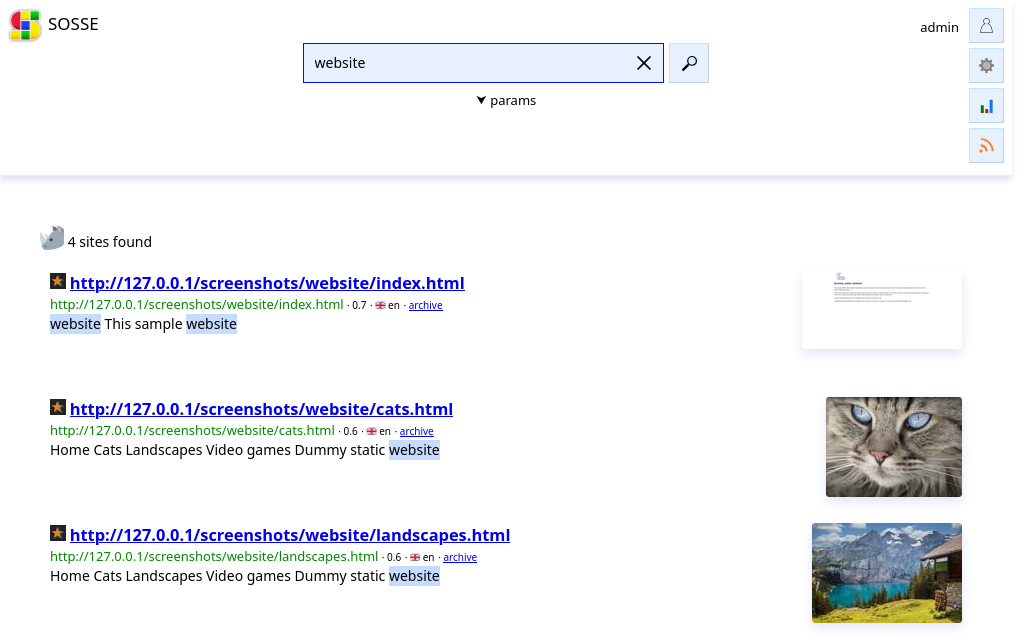
From top to bottom, left to right, the elements displayed are:
the favicon of the page
the title of the page, or its URL if it has no title
the URL
the score of the page for the provided search keywords from 0.0 to 1.0
the language of the page
the
archivelink to the archived version, orsourcelink to the original page (depending on the related option)
Word stats
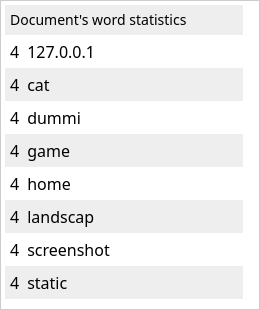
Clicking on the  button, shows the top 100 most frequent words (after stemming) in the result webpages:
Atom feeds
The  button, gives access to an Atom feeds for the current
search terms ⚛:
button, gives access to an Atom feeds for the current
search terms ⚛:
Atom results feedhas entries with links to the original websiteAtom archive feedhas entries with links to the archived website
In case anonymous searches are disabled, a
token can be defined to access the Atom feed without authenticating. This is done
by appending a token=<Atom access token> parameter to the Atom feeds URL.