🔤 Documents
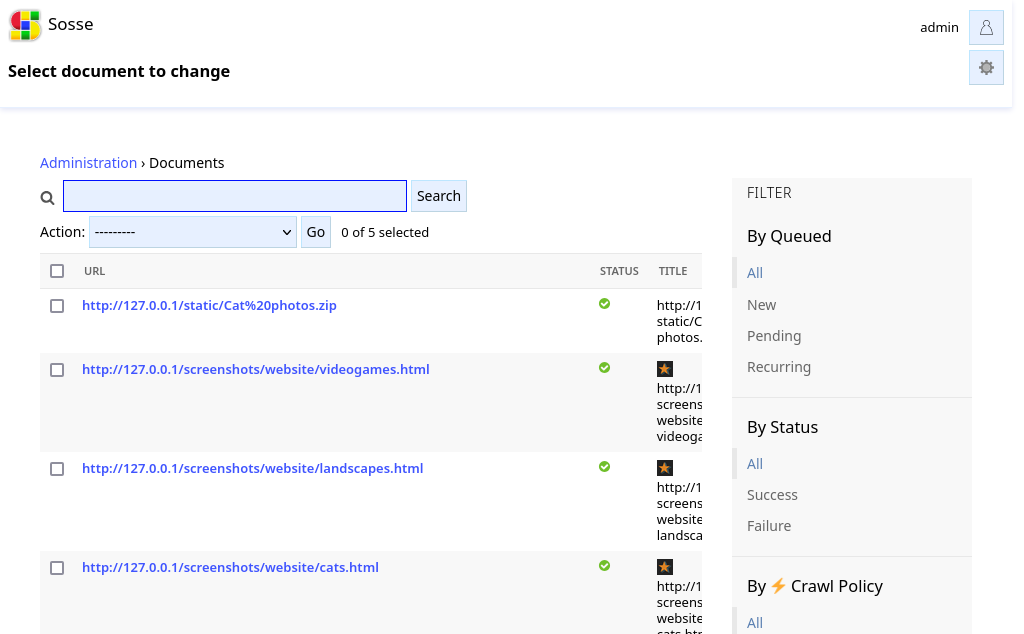
The list of all indexed documents can be reached from the Administration interface, by clicking on Documents. Regular
expressions can be used in the search bar to match URLs or page titles.
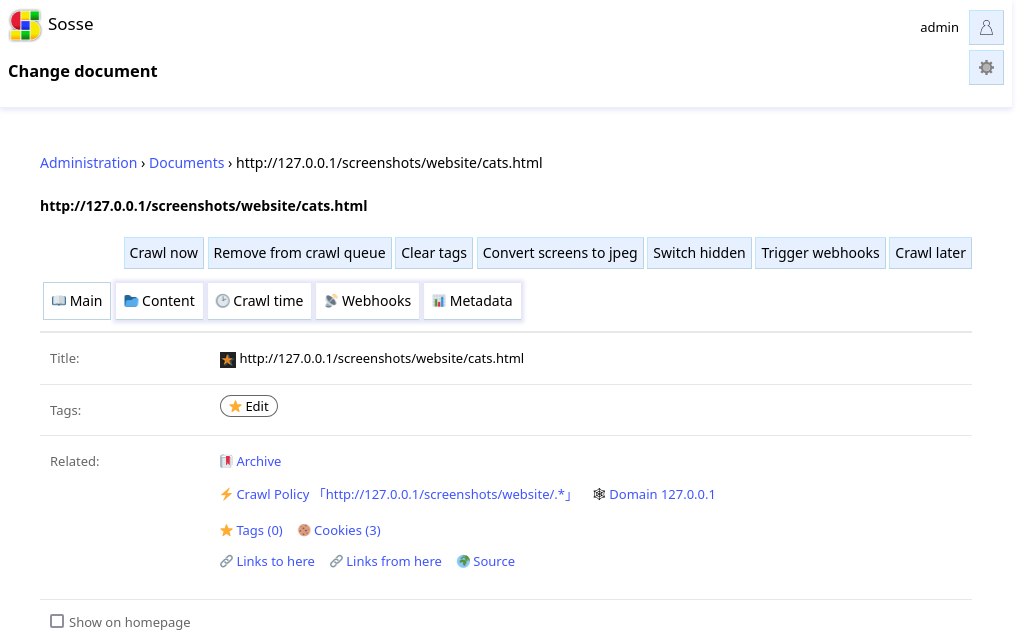
Document detailed view
The document page contains fields about the crawl status of the page:
Status
Shows if the document triggered an error during its last crawl.
Error
The error that was triggered during last crawl if any.
Crawl DT
The interval before the next recrawl of the document.
Recursion remaining
The number of recursion level remaining, when the matching policy crawls Depending on depth.
Rejected by robots.txt
This indicates if the URL was not crawled due to a robots.txt rule. If necessary the robots.txt can be ignored
in the Domain settings.
Too many redirects
Indicates if the page was not crawled due to too many redirection. The limit can be set in the configuration file.
Show on homepage
When the browsable home option is enabled, this parameter can switch availability of the document from the homepage. (See Types of Archives)
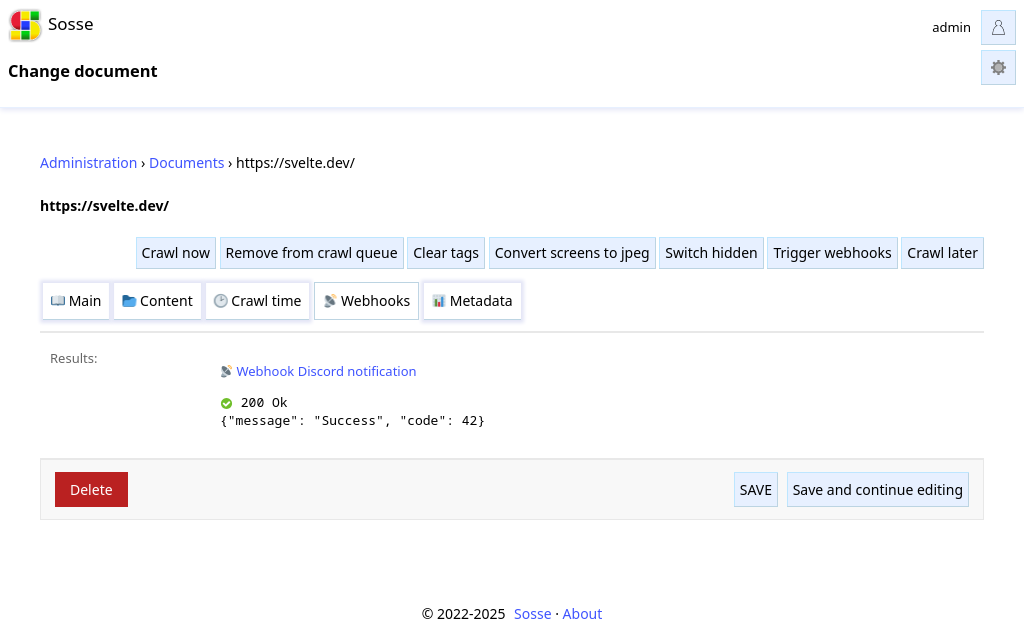
Webhooks
The Webhooks tab shows the result of 📡 Webhooks that were run for this document.
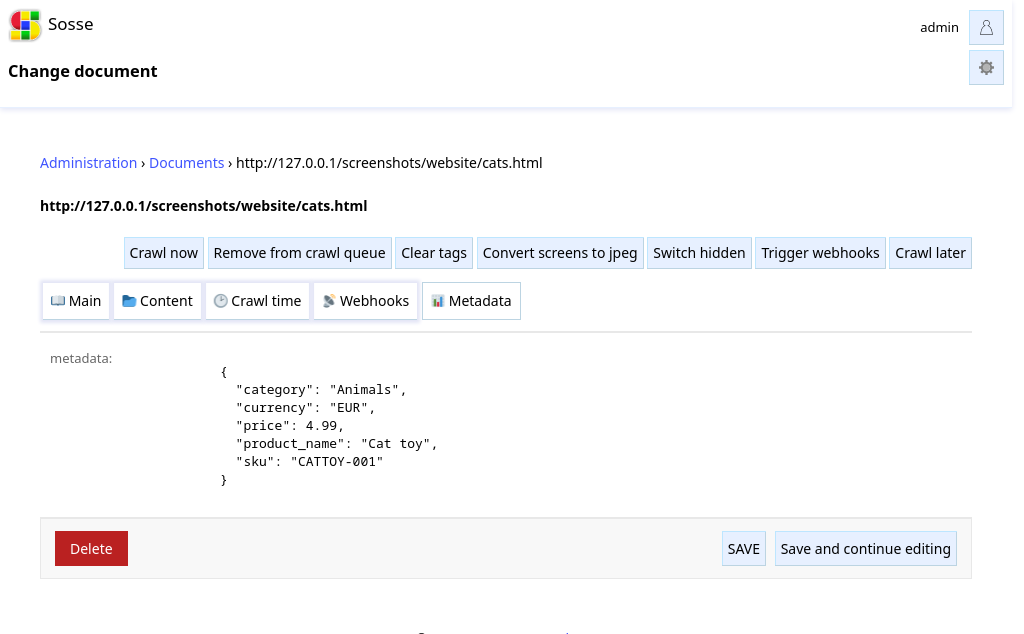
Metadata
The Metadata tab shows associated metadata for the document. The metadata is stored in a JSON format and can be used to add custom fields to the document. The metadata can be set using Javascript execution in the browser context, or using the return value of the 📡 Webhooks.
Document list view
Actions
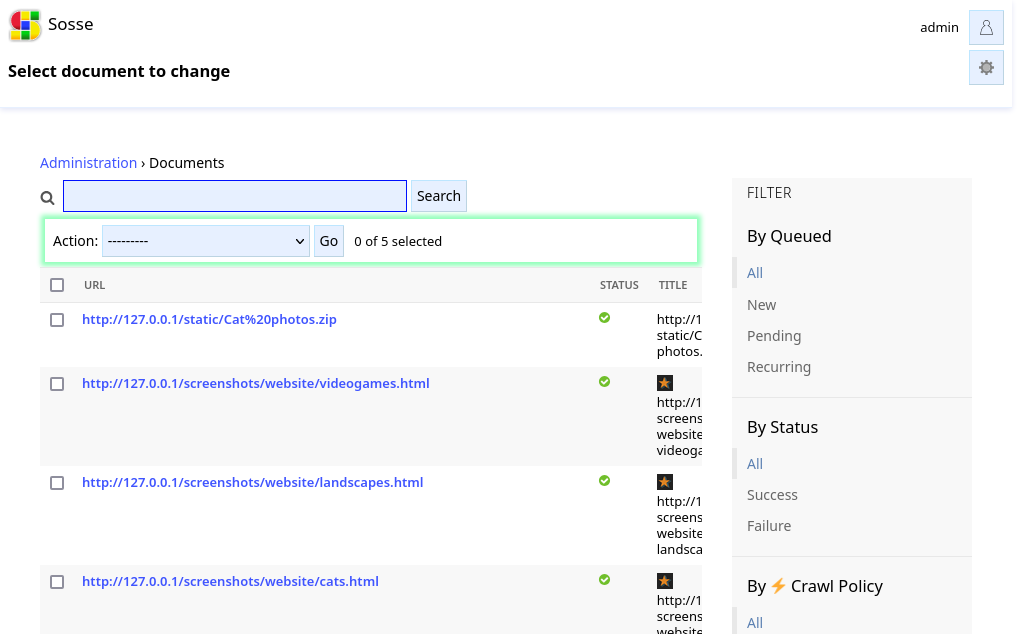
Using the actions dropdown, the following actions can be applied to the selected documents:
Crawl now: Triggers a crawl of the document as soon as a worker is available.Remove from crawl queue: Removes the document from the crawl queue, it won’t be processed unless manualy re-added.Convert screens to jpeg: Converts the screenshots of the document to JPEG format.Switch hidden: Toggles the hidden status of the document.