📡 Webhooks
Webhooks allow external services to be notified when a page is crawled. The webhook list can be accessed by clicking Webhooks from the Administration interface.
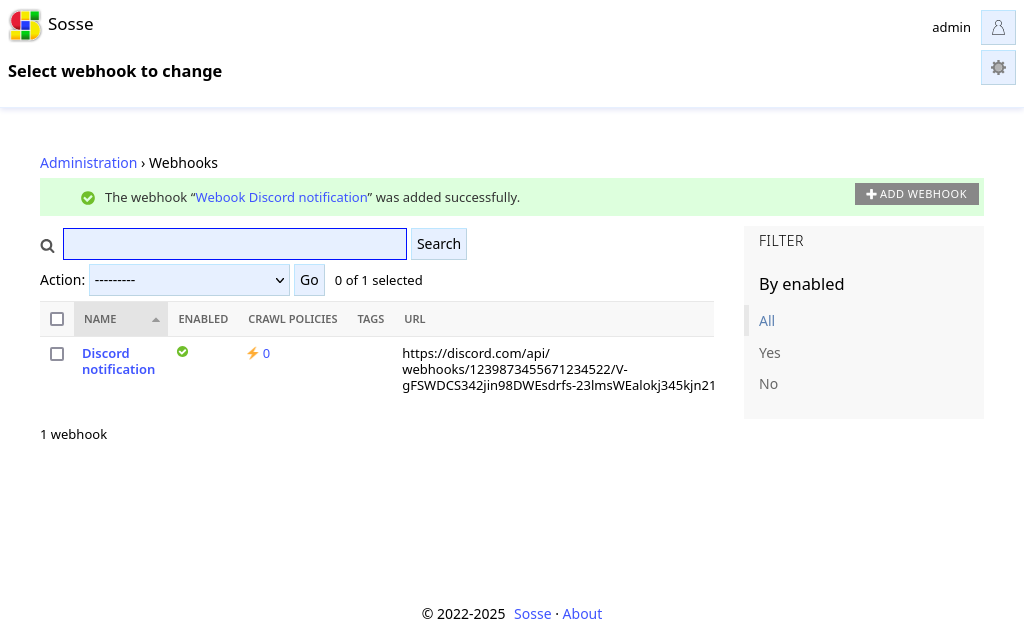
When an event such as a new page discovery or a content change occurs, the corresponding webhook will be triggered, sending an HTTP request to the specified URL. After creation, the webhook must be registered in Crawl Policies. The execution result can be viewed on the relevant Document’s page.
Webhook Configuration
Webhook Name
A unique name for the webhook, helping in its identification within the admin interface.
Trigger Condition
Defines when the webhook should be triggered. Available options:
On content change - Triggers when a document’s content is modified.
On discovery - Triggers when a new document is crawled for the first time.
On every crawl - Triggers on every crawl and when manually triggered.
On content change or manual crawl - Triggers when content changes or is manually triggered (default).
Note
Webhooks for a document can also be manually triggered from the document’s settings, regardless of the Trigger Condition parameter.
Webhook URL
The endpoint URL where the webhook request will be sent.
Overwrite document’s fields with webhook response
When enabled, this option allows the webhook response to update specific fields in the indexed document. If the webhook returns data, those corresponding fields will be overwritten with the new values.
Note
Webhooks are executed in alphabetical order. This means simple workflows can be created by prefixing the webhook names with numbers (e.g., 1-Webhook, 2-Webhook, etc.) to ensure the desired execution order. Then, the webhook response can be used to update the document with tags or other metadata to control the execution of the next webhook.
Path in JSON response
This specifies the dotted path within the JSON response that points to the value used for updating the document. For example, if the JSON response from the webhook is:
{
  "data": {
    "attributes": {
      "title": "Updated Document Title",
      "content": "This is the updated content."
    }
  }
}
And the “Path in JSON response” is set to data.attributes, only the children of attributes will be used to update
the document’s title field. This feature is applicable only when the “Overwrite document’s fields with webhook response”
option is enabled. If the path is left empty, the entire JSON response will be used to overwrite the document’s fields.
Deserialize the response before updating the document
If enabled, the webhook response will be deserialized as JSON before updating the document. This ensures that the response is properly parsed into a structured format, allowing fields in the document to be updated accurately based on the JSON data.
HTTP Method
The HTTP method used for the request (e.g., GET, POST, PUT, DELETE).
JSON Body Template
A JSON template for the request body, which may include placeholders referencing document fields:
{
  "title": "New page crawled: ${title}",
  "content": "${content}",
  "url": "${url}"
}
These placeholders will be replaced with actual document values when the webhook is triggered. The available fields, which support dotted notation for accessing nested properties (e.g., metadata.author to retrieve the author field within the metadata object), align with those returned by the Rest API.
Headers
Additional headers to be included in the request, formatted as:
Header-Name: Value
Another-Header: Value
Each header must be specified on a new line.
Note
In addition to the provided headers, Sosse sends the following headers:
Accept: application/json
Content-Type: application/json
User-Agent: <User agent>
Authentication
Basic authentication credentials for accessing the webhook URL:
Username - The username for authentication (optional).
Password - The password for authentication (optional).
Filtering Webhooks
Webhooks can be restricted to specific documents using the following filters:
Mimetype regex - Triggers only for documents whose mimetype matches this regex.
Title regex - Triggers only for documents with a title matching this regex (one per line).
Content regex - Triggers only for documents with content matching this regex (one per line).
Example: Discord Notification Webhook
A real-world application of webhooks is sending a notification to a Discord channel (using the Discord REST API) when a new page is discovered. Below is an example configuration for integrating with Discord:
Discord Webhook Setup
Create a new webhook in your Discord server by navigating to Server Settings > Integrations > Webhooks.
Copy the webhook URL provided by Discord.
Set URL: <Your Discord Webhook URL>

Set Trigger Condition:
On discoverySet Body Template:
{
  "username": "Crawler Bot",
  "avatar_url": "[https://example.com/bot-avatar.png](https://example.com/bot-avatar.png)",
  "content": "A new page has been discovered: **${title}**\nURL: ${url}"
}
When a new document is discovered, this webhook will send a formatted message to the specified Discord channel, notifying team members of the new content.