Preferences
To reach the Preferences user interface, click the  button, then select
 Preferences.
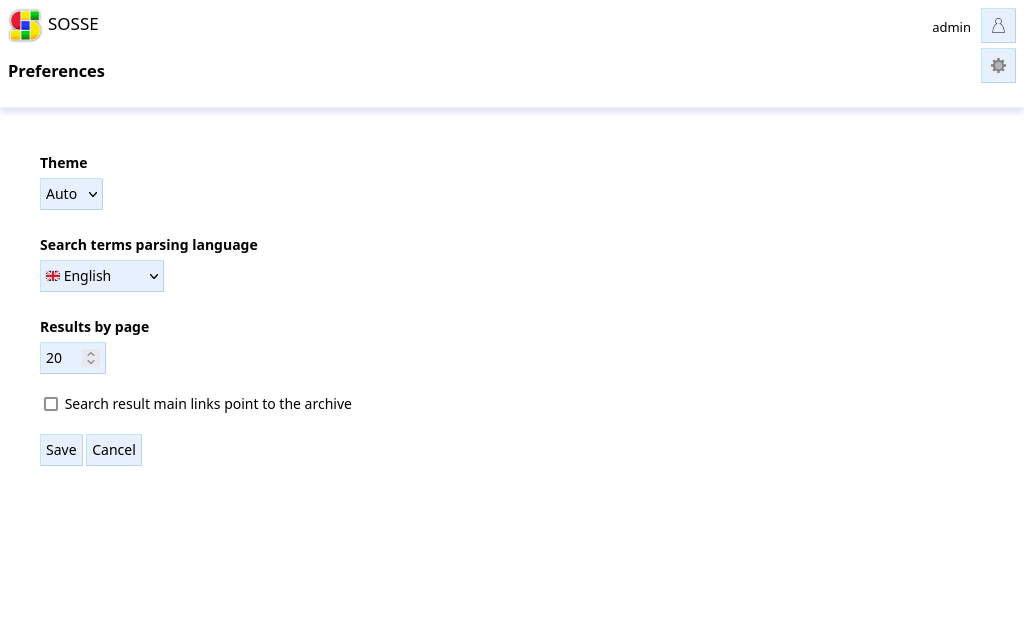
Preferences are stored in the browser’s Local storage, so they are not shared across users, devices, or browsers.
Theme
The theme option lets you choose light theme, dark theme or let it switch automatically depending on the browser configuration.
Search terms parsing language
This defines the default language used to read the search terms typed in the search bar. SOSSE uses PostgreSQL’s Full Text Search feature which uses this parameter to make searches more intelligent than simple word matches.
Results by page
The number of search result displayed in one page.
Search result main links point to the archive
When enabled, search result links point to the archive versions of pages. source links are
displayed to access original websites.
When disabled, search result links point to original websites. archive links are displayed to access
archive versions.
Online mode
When Online detection is set up, searching locally or online can be overridden.
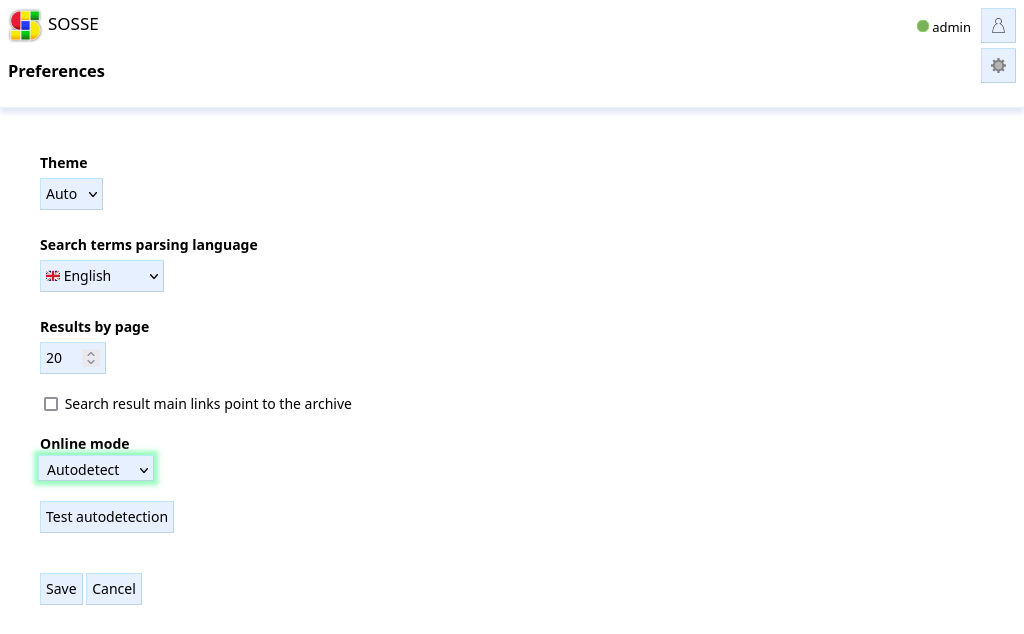
Next to the user menu a dot displays the status of the online mode:

Green for online
Orange for offline
Purple when
Force onlineis selectedBlue when
Force localis selected