⚡ Crawl Policies
Policy matching
Crawl policies define which pages are indexed and how they are indexed. The policy list can be reached by clicking
⚡ Crawl policies from the Administration interface.
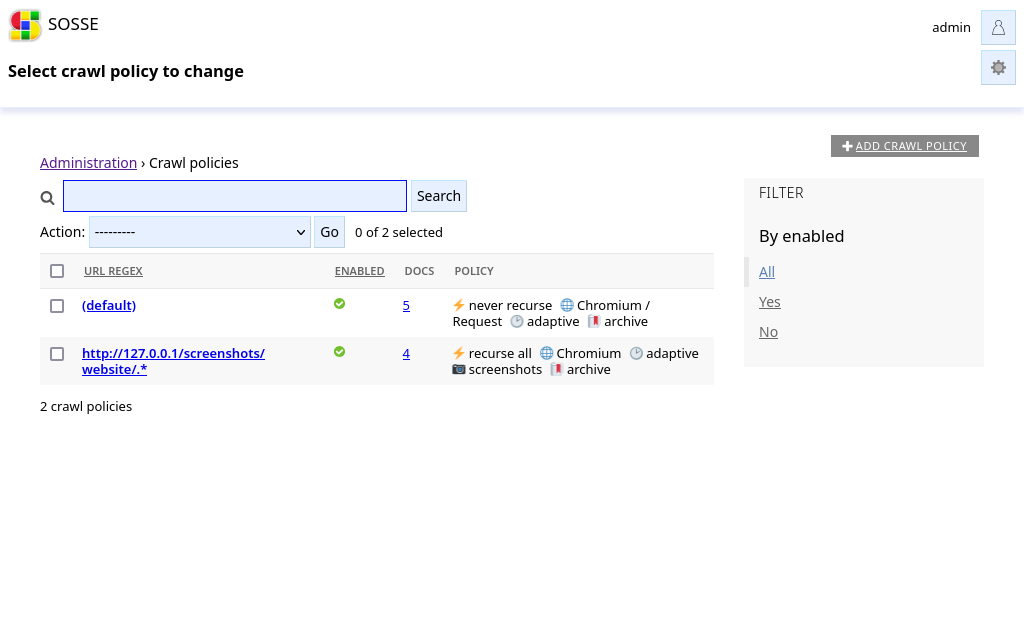
When the crawler indexes a page or evaluates a link to queue it, it will find the best matching policy to know how to
handle the link. The policy having the URL regex matching the longest part of the link URL is selected. On last
resort, the default policy (default) is selected.
You can see which policy would match by typing an URL in the search bar of the ⚡ Crawl policies, or in the
🌐 Crawl a new URL page (see 🌐 Crawl a new URL).
⚡ Crawl
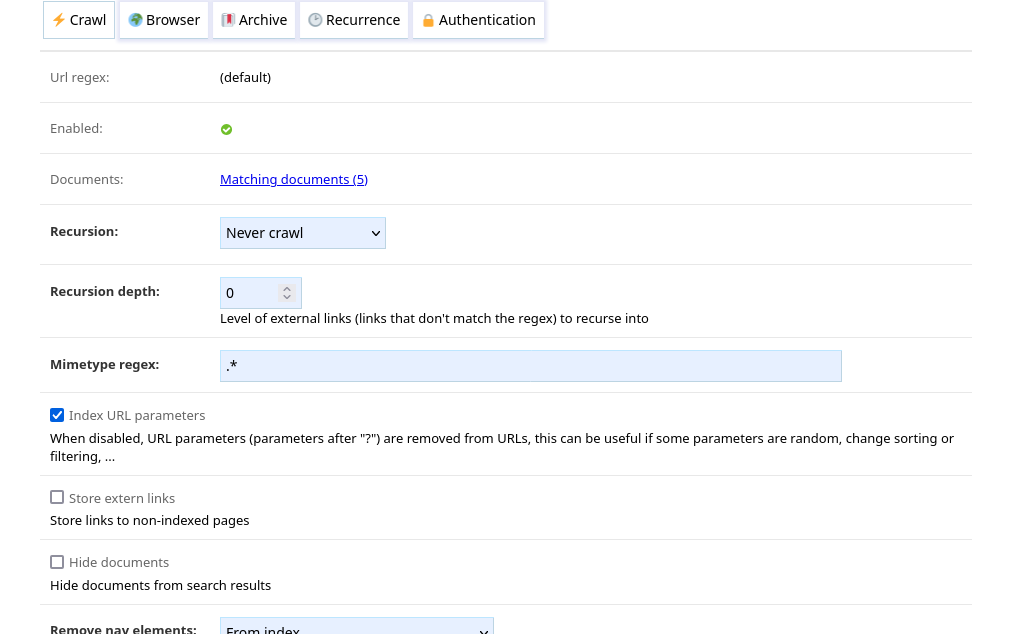
URL regex
The regex matched against URLs to crawl. Multiple regex can be set, one by line. Lines starting with a # are
treated as comments. The default (default) policy’s regex cannot be modified.
Documents
Shows the URLs in the database that match the regex.
Recursion, recursion depth
Recursion and Recursion depth parameters define which links to recurse into.
Recursion can be one of:
Crawl all pages: URLs matching the policy will be crawledDepending on depth: URLs matching the policy are crawled depending on the recursion level (see Recursive crawling)Never crawl: URLs matching the policy are not crawled unless they are queued manually (in this case, no recursion occurs)
Recursion depth is only relevant when the Recursion is Crawl all pages and defines the recursion depth for
links outside the policy. See Recursive crawling for more explanations.
Mimetype regex
The mimetype of pages must match the regex to be crawled.
Index URL parameters
When enabled, URLs are stored with URLs parameters. Otherwise, URLs parameters are removed before indexing. This can be useful if some parameters are random, change sorting or filtering, …
Store extern links
When enabled, links to non-indexed pages are stored.
Hide documents
Documents indexed will be hidden from search results. The hidden state can later be changed from the document’s settings.
Thumbnail mode
Defines the source for pages thumbnails displayed in the search results and home page:
Page preview from metadata: the thumbnail is extracted from the page metadata (using Linkpreview).Preview from meta, screenshot as fallback: the thumbnail is extracted from metadata if available, a screenshot is taken otherwise.Take a screenshot: a screenshot is used as thumbnail.No thumbnail: no thumbnail is saved.
Note
To take screenshot as thumbnails, the Default browse mode needs to be Chromium or Firefox.
🌍 Browser
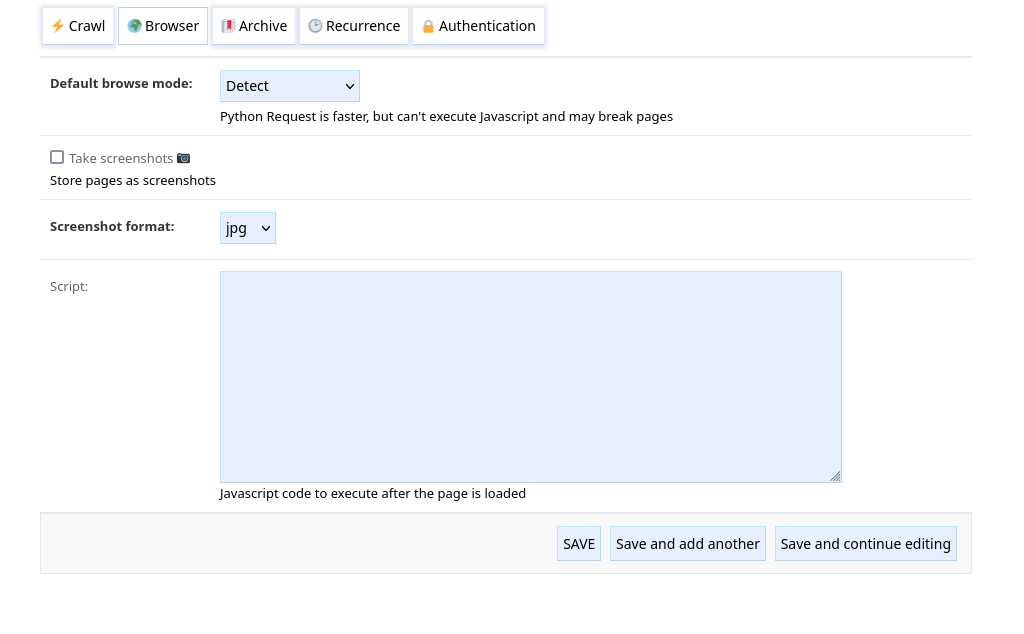
Default browse mode
Can be one of:
Detect: the first time a domain is accessed, it is crawled with a browser and Python Requests. If the text content varies, it is assumed that the website is dynamic and the browser will be used for subsequent crawling of pages in this domain. If the text content is the same, Python Request will be used since it is faster. By default, the browser used is Chromium, this can be changed with the default_browser option.Chromium: Chromium is used.Firefox: Firefox is used.Python Requests: Python Requests is used.
Take screenshots
Enables taking screenshots of pages for offline use. When the option Create thumbnails is disabled, the screenshot is displayed in search results instead.
Note
This option requires the Default browse mode to be Chromium or Firefox in order to work.
Screenshot format
Format of the image JPG or PNG.
Note
This option requires the Default browse mode to be Chromium or Firefox in order to work.
Script
Javascript code to be executed in the context of the web pages when they have finished loading. This can be used to handle authentication, validate forms, remove headers, …
For example, the following script could be used to click on a
GDPR compliance I agree button:
const BUTTON_TEXT = "I agree";
const XPATH_PATTERN = `//*[contains(., "${BUTTON_TEXT}")]`;
const button = document.evaluate(XPATH_PATTERN, document, null, XPathResult.FIRST_ORDERED_NODE_TYPE, null);

if (button && button.singleNodeValue) {
    button.singleNodeValue.click();
}
Or, this script scrolls to the bottom of the page (this can be useful in case some content loads when scrolling):
window.scrollTo(0, document.body.scrollHeight);
In case the script triggers an error, further processing of the page is aborted and the error message is stored in the document error field. It can be useful to use a tool such as Tampermonkey to debug these kind of script.
Note
This option requires the Default browse mode to be Chromium or Firefox in order to work.
🔖 Archive
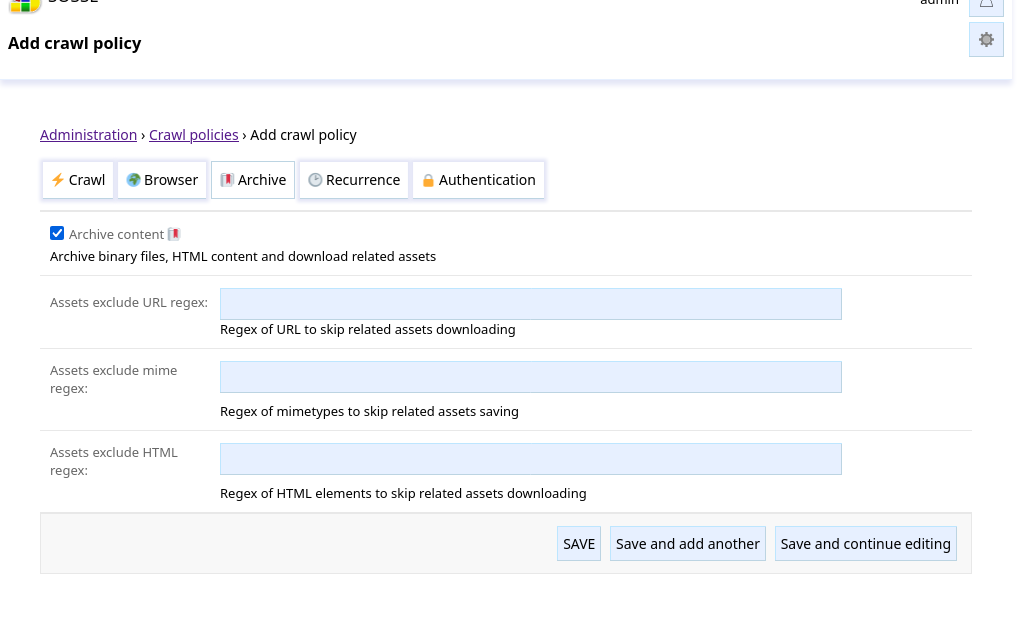
Archive content
This option enables capturing snapshots of binary files, HTML pages and there related images, CSS, etc. it relies on for offline use.
A browser can be used to take the snapshot after dynamic content is loaded.
Assets exclude URL regex
This field defines a regular expression of URL of related assets to skip downloading. For example, setting a regex of
png$ would make the crawler skip the download of URL ending with png.
Assets exclude mime regex
This field defines a regular expression of mimetypes of related assets to skip saving, however files are still
downloaded to determine there mimetype. For example, setting a regex of image/.* would make the crawler skip saving
images.
Assets exclude HTML regex
This field defines a regular expression of HTML element of related assets to skip downloading. For example, setting a
regex of audio|video would make the crawler skip the download of medias.
🕑 Recurrence
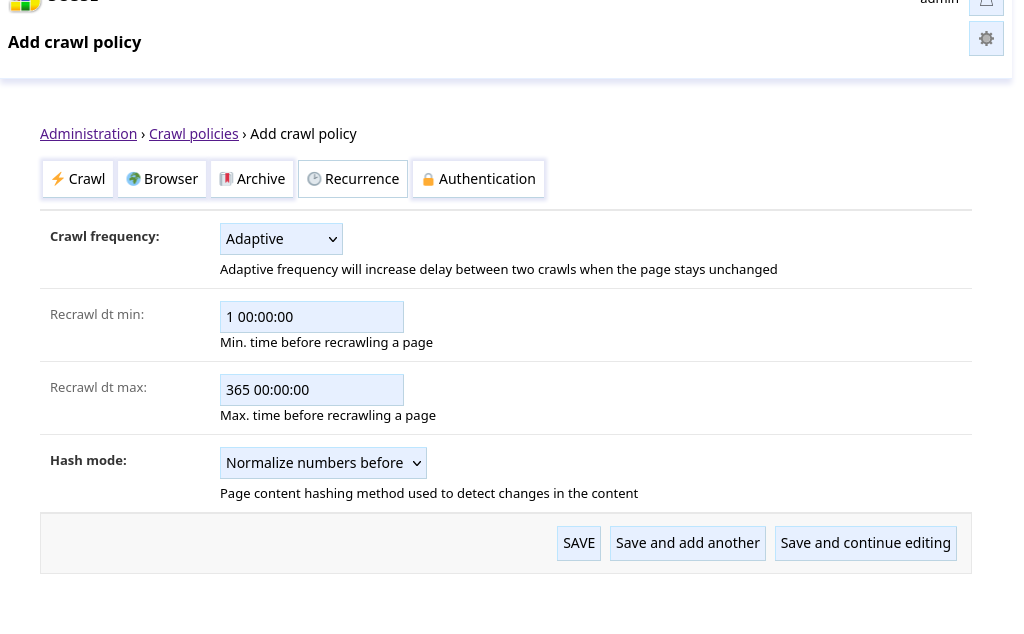
Crawl frequency, Recrawl dt
How often pages should be reindexed:
Once: pages are not recrawled.Constant: pages are recrawled everyRecrawl dt min.Adaptive: pages are recrawled more often when they change. The interval between recrawls starts atRecrawl dt min. Then, when the page is recrawled the interval is multiplied by 2 if the content is unchanged, divided by 2 otherwise. The interval stays enclosed betweenRecrawl dt minandRecrawl dt max.
Hash mode
Define how changes between recrawl are detected:
Hash raw content: raw text content is compared.Normalize numbers before: numbers are replaced by 0s before comparing, it can be useful to ignore counters, clock changes, …
🔒 Authentication
See Crawling an Authenticated Website for an example on authentication.
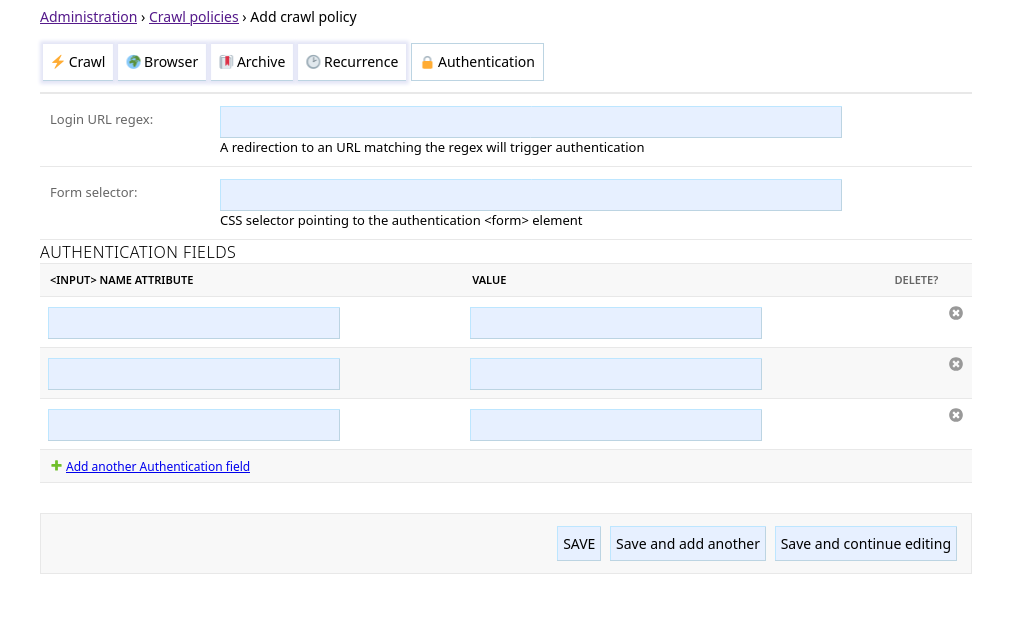
Login URL regex
If crawling a page matching the policy gets redirected to an URL matching the Login URL regex, the crawler will
attempt to authenticate using the parameters defined below.
Form selector
CSS selector pointing to the authentication <form> element.
Authentication fields
This defines the <input> fields to fill in the form. The fields are matched by their name attribute and filled
with the value. (hidden fields, like CSRF preventing
field, are automatically populated by the crawler)